


Hey there! Welcome to a new edition of my monthly updates on my AI coding workflow.
Once a month I publish an article about how I develop Tolaria, including an overall recap plus the latest updates, and some useful resources.
I consider part of my work (combined between Tolaria & Refactoring) to always try the latest and greatest, and work at the frontier of what’s possible, so you will only get thoughts that come from real usage and experiments.
Also, this is the first month since we launched the Tolaria Alliance, which has been a huge success so far! This is what allows Tolaria to stay free and open source, and this series (and the whole development of Tolaria) is made possible by the great tools I use everyday, which are:
CodeScene — to guarantee great code health across the codebase.
Codacy — to guarantee code quality and security.
Unblocked — to help agents (and myself) fetch information across the codebase, ADRs, Github issues, and commit history.
CircleCI — to allow fast and scalable local validation, and remote CI (migrated this month!)
That said, here is the agenda for today:
🔄 Workflow recap — for those who missed the previous episodes.
💧 Tolaria updates — what happened on the product side.
🔀 Forking open source — and the future of it
🚏 Creating custom gates — to give agents stricter constraints.
🤖 On using GPT 5.6 — and the latest models
Let’s dive in!
🔄 Workflow recap
First of all, if you missed the previous editions, here are some pointers:
Product management — how I do traffic control between issues, PRs, and product requests, and orchestrate the overall product backlog.
AI Coding — my own approach to scaling coding with agents, via guides, gates, and guards. Mostly remained unchanged from last month.
Tools I use — a deeper dive into how I use the tools from the alliance, and others, too.
ADRs, and more — in the initial workflow article I discussed how I do docs, which has scaled nicely so far.
Now on to the new stuff, but first... product updates. Because what is my workflow worth if you don’t see what I shipped with it?!
💧 Tolaria updates
This month Tolaria has followed a bit of a barbell strategy, where the two extremes are:
🔨 Basics — hardening performance and quality of life features for the editor, which remains the most crucial experience to nail.
🌚 Moonshots — trying (possibly overly) ambitious ideas, and see what sticks.
I will talk more in detail later about performance, because I have thought a lot not only on what to do about it, but also how to create a mini workflow so that it doesn’t degrade over time.
1) Basics 🔨
Basics include small features like block selection and navigation (a-la Notion), and the ability to collapse any heading and list item (a-la Bear). I constantly “borrow” features from other editors and note apps I love, but at least I credit them 😄
Of course, you will also find a long tail of more improvements, like being able to open vaults in separate windows, more MCP tools, more granular controls for AI agents, and just a lot of stuff!
2) Moonshots 🌚
Talking of moonshots, you can now create HTML blocks inside Tolaria.
This wouldn’t be that ambitious, if not for the fact that you can also reference properties from any note inside the HTML, and use a simple set of formulas to render lists, format values, and more.
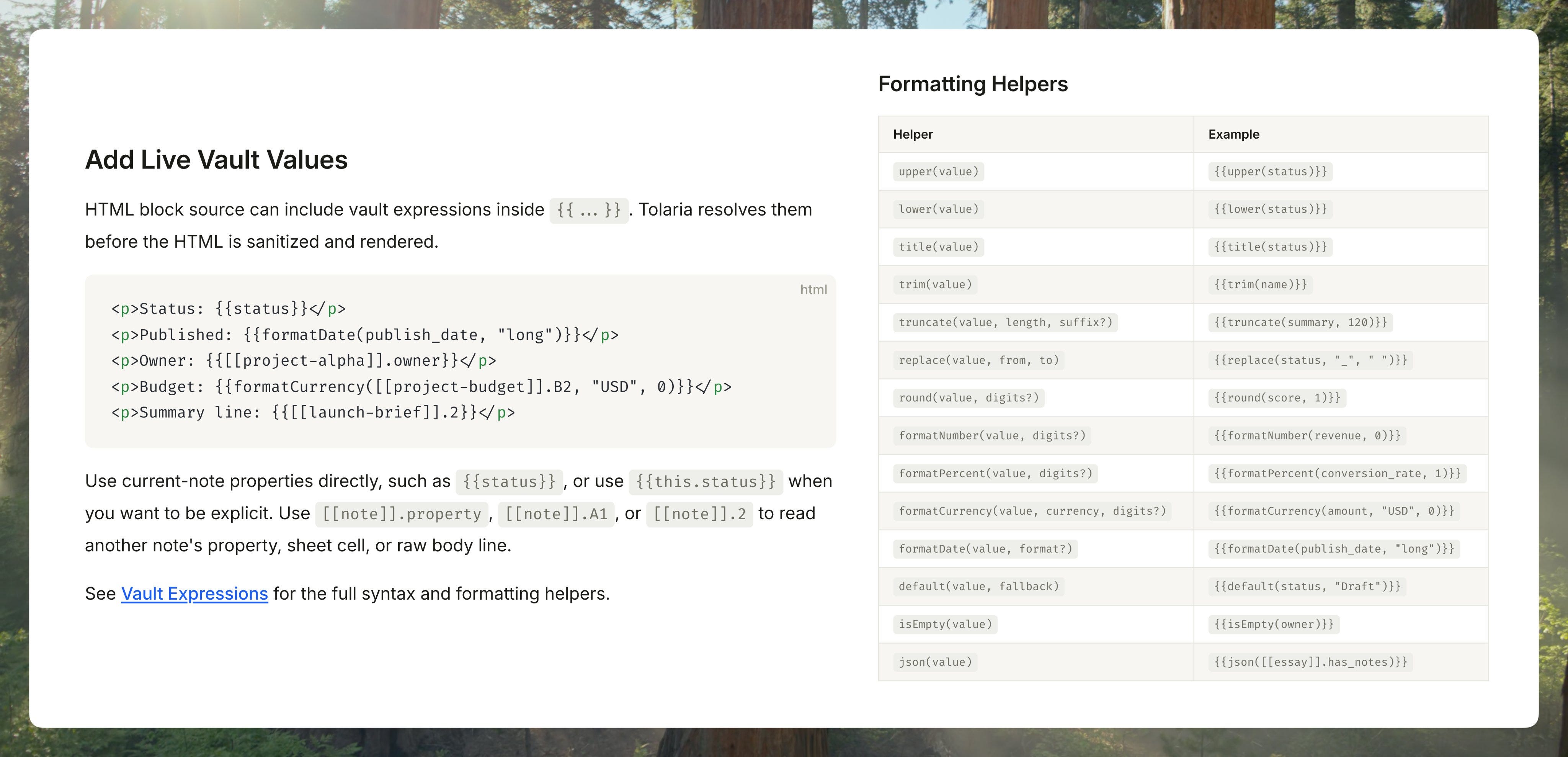
This builds on the same system that allows spreadsheets to reference note properties, which was working well, so I said why not?! It plants the seeds for making Tolaria a platform where you can build mini apps that take information in real time from your notes.
It’s very cool if you ask me, and I am eager to see what you will build with it!
As I anticipated, though, what I am the proudest of is our performance work, which deserves a separate chapter 👇