


Hey, Luca here! As you probably know by now, two weeks ago I launched Tolaria, a desktop app for Mac, Linux, and Windows, to manage markdown knowledge bases — for humans and AI.
I did that to solve my own problems and to get my hands dirty with AI coding. In other words, I wanted to walk the talk, and then write about it here on Refactoring.
Little did I know this would feel more like speedrunning the talk.
Tolaria has now several thousand daily users, 10K stars on Github, and last week it was the 10th fastest growing repo… in the world, as measured by Star History.
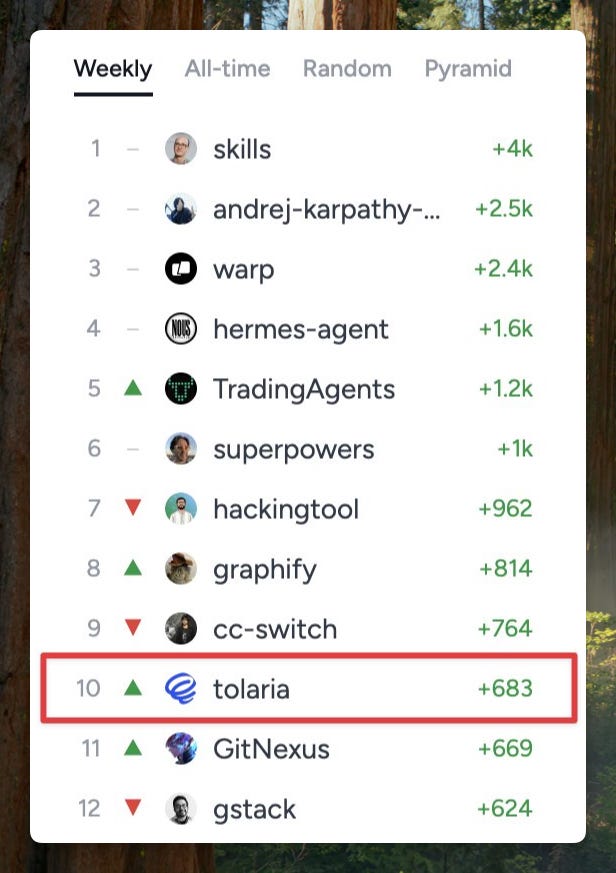
To put things in context, there are only about ~5K repos in the world with more than 10K stars, out of ~30M.
This is of course, incredibly flattering and energizing, but I also joked with friends that I have been glued to my chair non-stop for these two weeks, because all this interest also posed very real operational problems.
Users, in fact, who are mostly engineers, contributed hard — and I am glad they did! As of today, Tolaria has received:
200+ issues on Github
150+ PRs
150+ feature requests on Canny
So I had to create workflows to help handle all of this: to ensure issues would be fixed fast and people would get feedback about ideas and contributions.
Fast forward to today, I am pretty happy with how it is going, and as I write this, we are down to:
15 open issues
11 PRs
81 feature requests
Today’s newsletter covers all these workflows and how I “survived” these two weeks, while only working part-time on Tolaria, and the rest of the time on Refactoring — in the meantime I also had to publish 4 newsletter editions and 2 podcast episodes.
So here is the agenda:
📥 Inputs — mapping and normalizing sources and channels.
🗃️ Backlog — turning everything into a single prioritized list from which agents can take work.
🔍 Validation — is it the one true bottleneck, as everyone is fond of saying these days?
🚀 Release — making work available to everyone and updating all the input sources.
📊 Analytics — tracing what happens in production.
Let’s dive in!
📥 Inputs
I have never maintained a sizable open source project before, so you’ll forgive me if some of what I am about to say will sound trivial to you.
At any given time, there are several types of inputs Tolaria receives, that can spawn work to be done:
Bug reports from users
Feature requests from users
PRs from contributors
Crash reports from telemetry (Sentry)
My own ideas (hello 👋)
These are all separate channels but, with some degree of simplification, they spawn two types of work: bugs and features.
More specifically:
#1 and #4 spawn bugs
#2 and #5 spawn features.
#3 (PRs) can spawn either, but mostly features.
#1, #2, and #3 originally all lived in Github Issues, but bugs and feature requests have different needs and deserve to live in separate places. In fact:
Bugs — only need to be replicated and squashed as soon as possible. I am a strong believer in a zero-bugs policy: catching bugs as soon as they are reported, and fixing them all ASAP. All in all, there is very little to decide about bugs.
Feature requests — are another story. They benefit from being voted on (you want to see how many people want something), are generally bigger, so you may want to flag things as planned or in progress so users are notified, need to be specced, and, of course, you don’t want to build those that don’t match your vision. That’s a lot more to decide.
From a workflow standpoint, bugs are easy, features are not — which is why today we are down to only 15 open bugs out of 200, but still 80+ open feature requests out of 150.
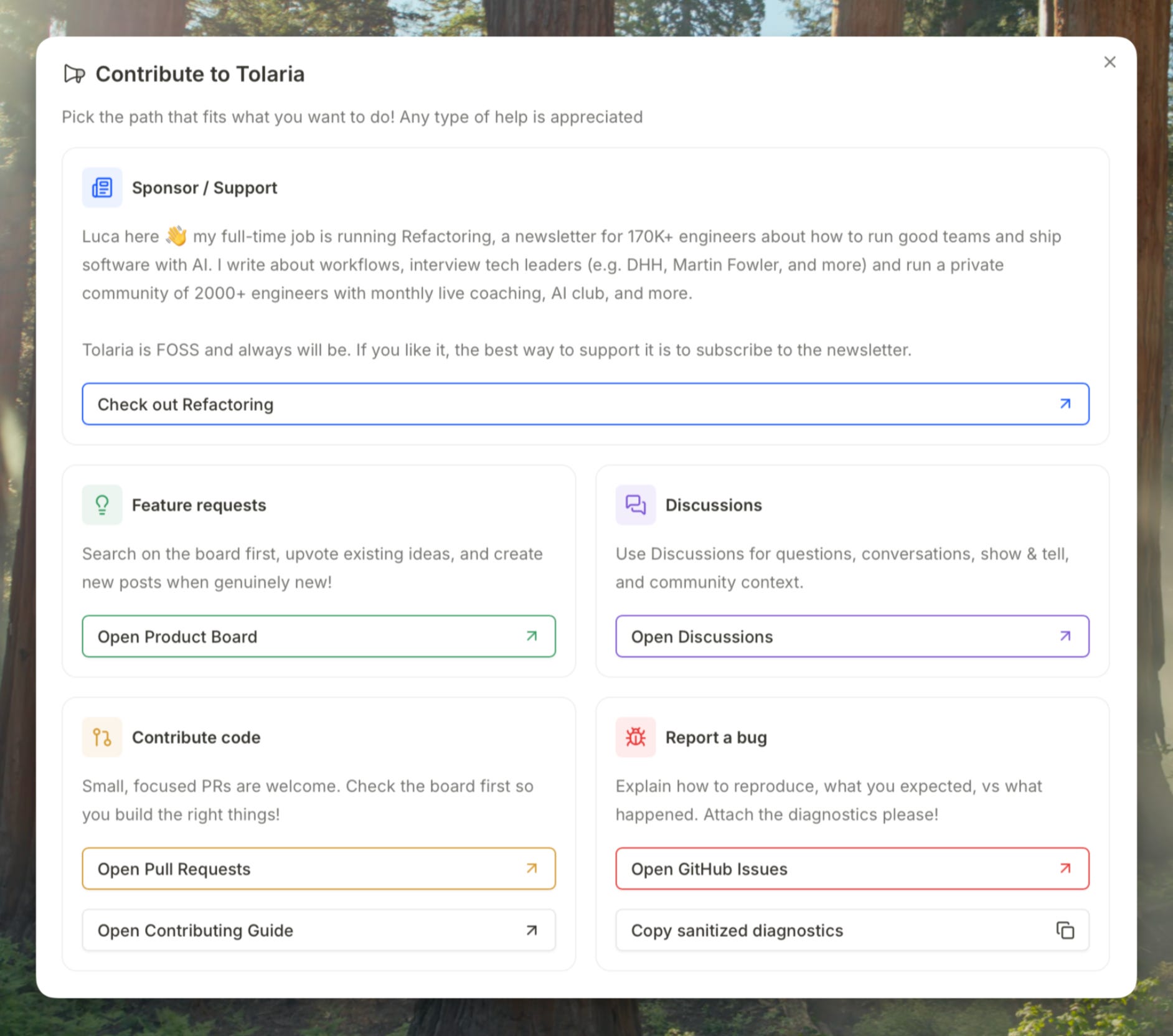
The way I manage this is by keeping bugs on Github Issues, and feature requests on a separate product board on Canny.
To make people understand this, I created a rich “contribute” panel inside Tolaria where you are routed to different places based on how you want to help:
Still a lot of things go wrong all the time: