


Hey, Luca here! Welcome to the ✨️️️️️️️ monthly free essay ✨️️️️️️️ from Refactoring.
Every week I write an article to 170K+ engineers about how to make good software together. To get access to all our articles, resources, and our private community, subscribe to the full version.
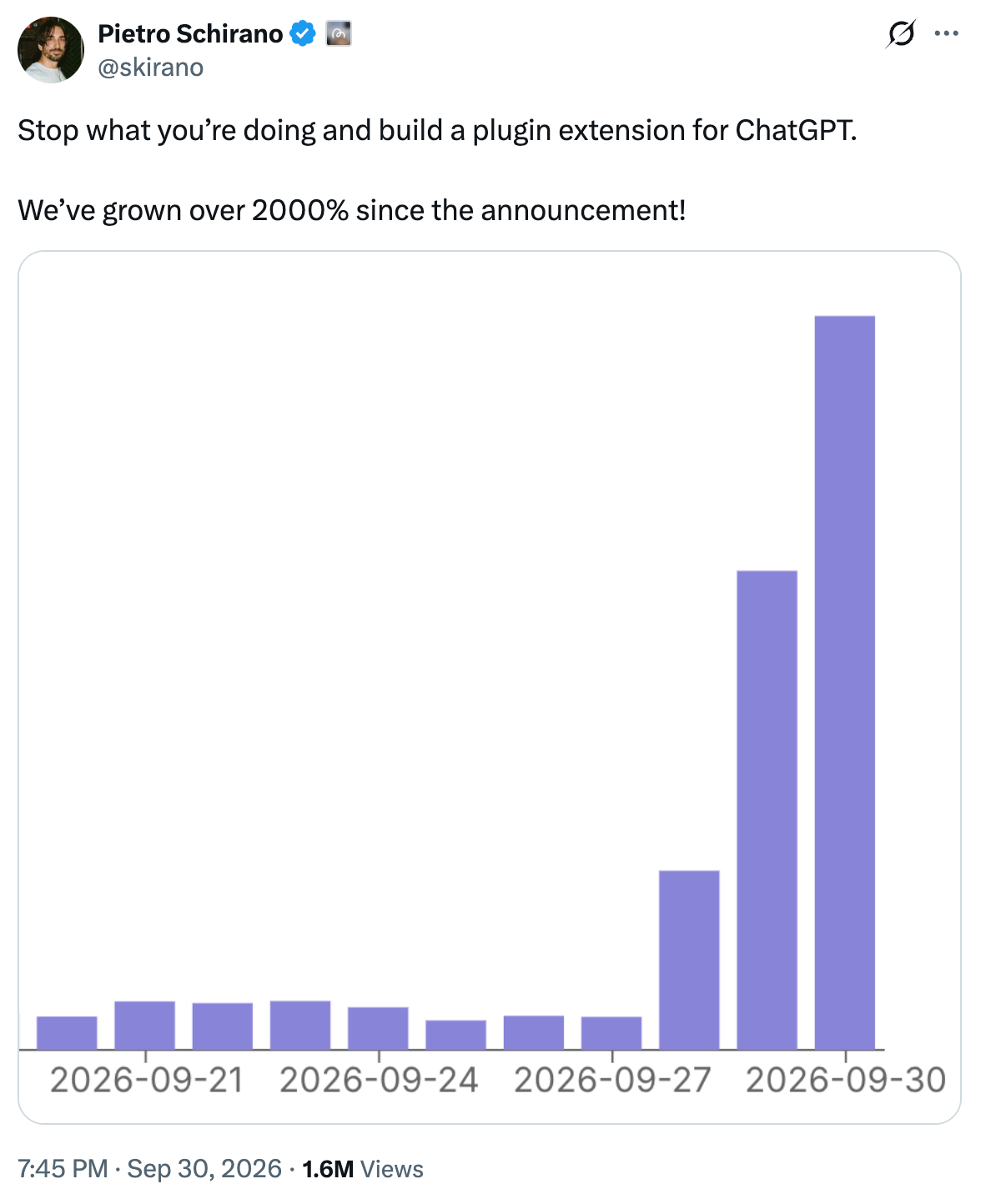
More and more products these days show up inside agent hosts like ChatGPT, Claude, Grok Bot, as plugins that the model can use. In many cases, agents also act proactively and recommend plugins that fit their current job.
This means, as many predicted, that agents are becoming important distribution platforms, with many users discovering new products from inside them.
Such plugins, under the hood, are powered by MCP servers, which wrap and expose the tool's functionality.
On paper, these look easy to build. In practice, less so.
I bet everyone who has played with agents for a while has found themselves routinely battling with MCPs that are either broken, or incomplete, or don’t work as intended. I surely have, and I keep seeing embarrassing stories popping up on the internet about it.
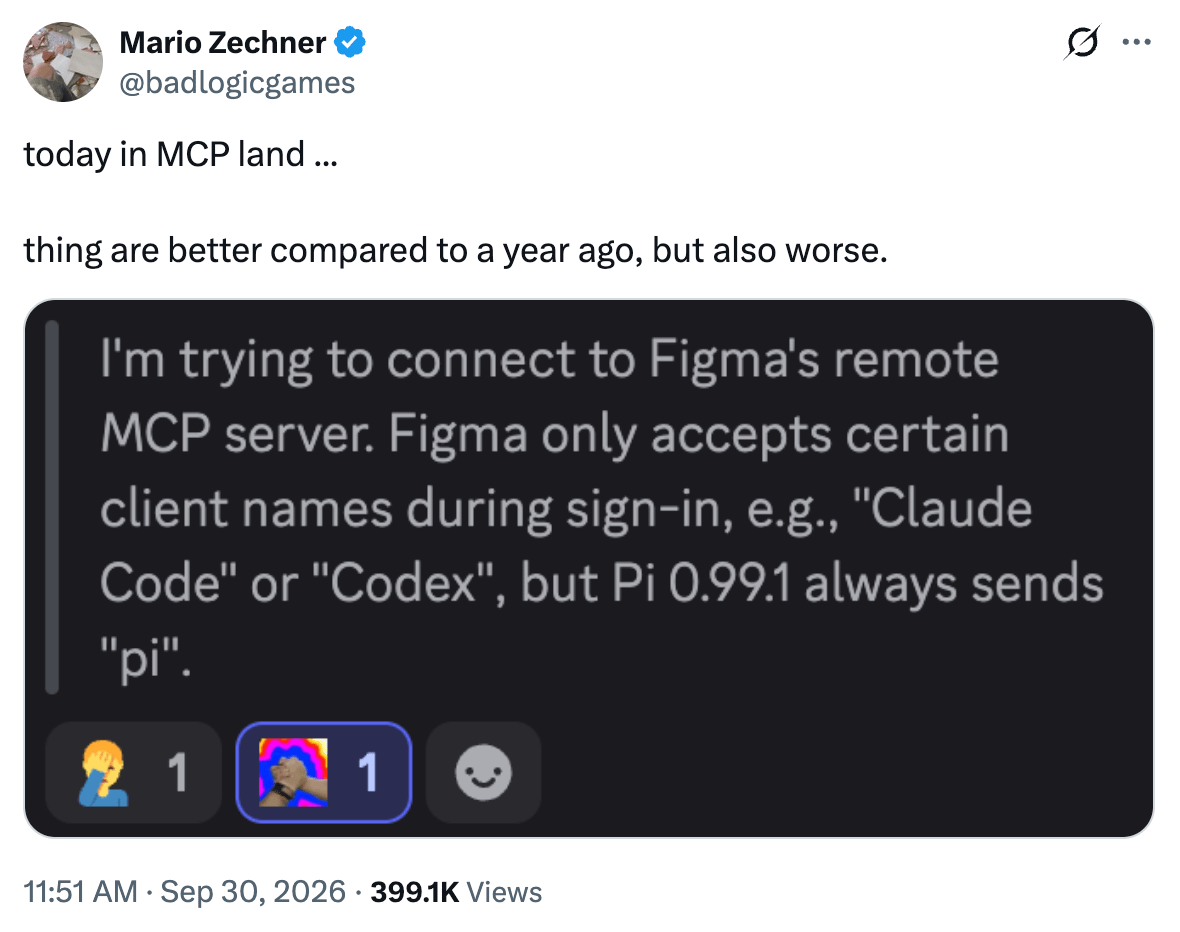
Just last week, Figma got backlash for having hardcoded the list of allowed clients in their MCP server, effectively disabling popular tools like Pi and OpenCode. One of the creators of the MCP protocol himself chimed in to note that this is not how the protocol should work.
Why does this happen? I believe many teams just underestimate what it takes to create good MCP servers. They think about them as simple API wrappers, assign the task to an intern, and call it done.
Last year I wrote How to Design APIs for an AI World, because it was already clear that APIs needed to be adapted for when the caller was an agent rather than deterministic software. Fast forward to today, a lot has changed about how agents interact with software, so I am writing a sequel that 1) dives deeper, and 2) covers more of the product surface.
To do this well, I am also looping in Luigi Pederzani and the guys at Manufact, who I have known for a long time. They are the authors of the open-source framework mcp-use and have been working on MCPs from the very early days, so they are the most knowledgeable people I know about this space.
I will also be pulling real examples from products that are doing this right, like Notion, Block, Stripe, and Sentry, so you’ll leave this article with practical references that you can take inspiration from.
So here is the agenda:
🧩 Jobs instead of endpoints — deciding which tools should exist in the first place.
🧭 Designing for an agent caller — descriptions, improvisation, errors, and UI.
🔄 The production lifecycle — what is different from running a normal backend.
⚖️ Self-host vs managed — figuring out when each one makes sense.
✅ Checklist — what to do with your team next week.
Let’s dive in!
Disclaimer: I am thankful to Manufact for partnering on this and sharing how they see MCP design and production in the wild. I am a fan of what they build and you should check it out.
As always, I will only write my unbiased opinion on the practices and tools covered, Manufact included.
🧩 Jobs instead of endpoints
So, where do you start?
In my experience, the most common mistake is simply taking the endpoints you already have and turning each of them into a tool. REST (or GraphQL) APIs are usually built around resources and CRUD verbs, which work great for software that knows exactly what it wants, and can express it as atomic operations.
An agent, instead, is trying to complete a job on behalf of a user, like “file this bug with a reproduction and an assignee”, or “summarize the blockers of this sprint”.
If jobs depart too much from what single API endpoints do, the model spends tokens (and time) finding the right paths, chains five calls where one would do, and may still fail the workflow the user actually wanted.
Instead, it’s useful to work top-down, starting with the end in mind. List the handful of end-to-end workflows people actually ask agents to do with your product, and then design one tool, or a tight chain of tools, for each of them.
This also gives you a rule of thumb for granularity:
Too fine-grained — and you pay for multi-hop agent loops (LLM seconds times N) on top of a confused tool choice.
Too coarse — like one mega-tool with a kitchen-sink schema, and arguments get brittle, recovery gets hard, and auth gets messy.
A good default is tools that finish a job in one or two calls, batching related reads when you can and keeping multi-step flows for the domains that truly need them. When you do need them, make the intermediate state explicit in the responses, so the model can continue without guessing.
A useful example is Notion, because they shipped both versions.
In the Notion API, the content of a page is a tree of blocks (paragraphs, headings, to-dos and so on), and their first, open-source MCP server mapped each endpoint 1:1 to a tool, so agents had to work with blocks too. Blocks are a great abstraction for an API: they are granular and composable, and they give apps that render or sync Notion content precise control over every detail.
An agent, however, usually has a bigger job in mind, like writing up a meeting recap or adding a section to a plan, where the natural unit is the page. Notion’s own takeaway was that 1:1 mapping “created suboptimal experiences for AI agents.”
So, on their new hosted server, they eventually changed the abstraction. There is no tool to create, update or delete individual blocks anymore: pages go in and out as Notion-flavored Markdown, and one page-level call replaces a chain of block calls:
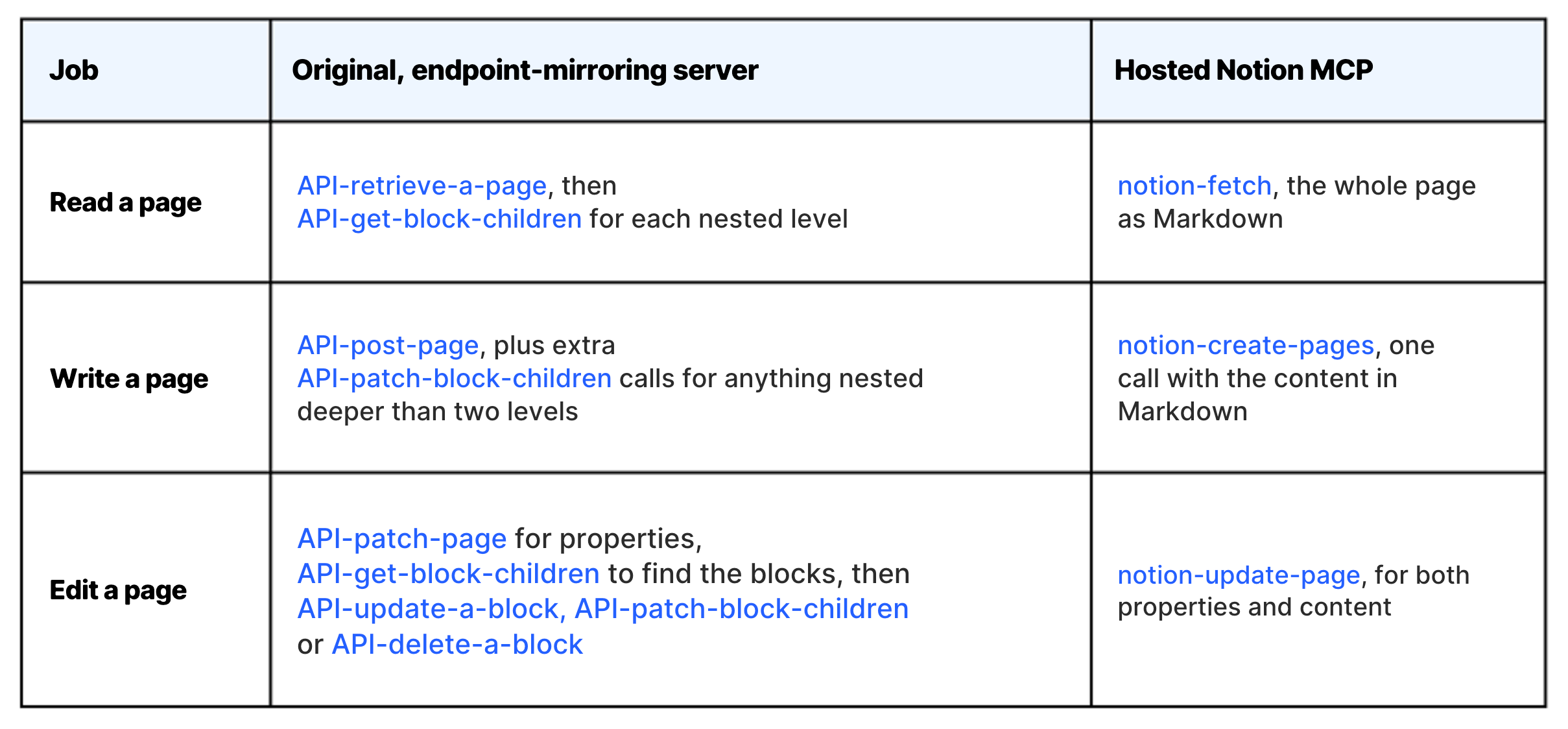
The work of turning Markdown into nested blocks, or finding the right block to change, moved inside the server.
Block tells a similar story in their MCP playbook: the first version of their internal Linear MCP had 30+ tools that mirrored the API, and a question like “what issues is bob@example.com working on” took four to six calls.
🧭 Designing for an agent caller
Once you know which tools should exist, the next question is how they should behave.
The thing to keep in mind here is that your caller is different in many ways from the software that typically hits your API. We covered this for APIs in general last year, and most of those ideas apply to MCP, with possibly even less forgiveness.
To me, here are the most important ideas to remember:
1) Descriptions are runtime
Developers read your API docs once and internalize the patterns, while agents re-read tool names and descriptions at every turn, inside a limited context window, and decide what to call based on that alone.
So, you should 1) name tools the way a user would phrase the request, and 2) use the description for the stuff that actually drives behavior: constraints, preconditions, and when not to use the tool. I would also put description edits through review and some testing, because changing a sentence there can change what the model does as much as changing code.
Sentry’s MCP server does this well, for example, in its search_errors tool:
Search Sentry error events: exceptions and crashes with stack traces. Use for error counts, statistics, trends, and individual error events.
NOT for log messages, including error/warning logs (use search_logs), requests or latency (use search_traces), or grouped issue lists (use search_issues).
The model learns what the tool is for, and what to use instead.
2) The caller improvises
Agents may invent argument shapes, call tools out of order, retry in odd ways and forget that setup has already happened, and the host will often retry on their behalf.
So the principles we discussed for AI-facing APIs are your defense here, which in practice means strict schemas where it matters, safe defaults, and idempotent writes on anything risky. For high-stakes actions, you can refuse with a clear message and offer a human-in-the-loop path when the domain needs it.
Stripe does this well for APIs: every POST accepts an Idempotency-Key, and a retry with the same key returns the first response instead of creating a second object. On MCP tools, you can do the same with an idempotency key argument, and declare how each tool behaves with the protocol’s tool annotations:
annotations: { readOnlyHint: false, destructiveHint: true, idempotentHint: false }
Clients can use these hints to decide when to ask for confirmation, as Block’s Goose does.
3) Errors should teach the next attempt
A key difference between agents and deterministic software is that the former can (and will try to) recover from errors by itself. So you should help with it.
This means a bare {“code”: 400} is fine for deterministic software, where a developer will eventually read the logs and fix the call, while an agent benefits from errors that are more descriptive and tell it what to do next, like the expected format, an example, or a different tool to use instead.
Block’s playbook shows a good one from Goose, for files over 400KB:
File ‘{}’ is too large ({:.2}KB). Maximum size is 400KB to prevent memory issues. If needed, use shell commands like ‘head’, ‘tail’, or ‘sed -n’ to read a subset of the file.
It says what went wrong, why, and what to try instead.
It also pays to log which errors agents hit most, because many of them will point to the tool's surface and hint at what you can improve. Half of your failures might be “invalid priority” because the schema says high and the server expects P1.
4) The job can come with its own UI
Lately, MCP servers can do more than expose tools.
With MCP Apps, a tool can point to an HTML resource that the host renders in a sandbox, so your product can show its own interface right inside the conversation.
This matters for jobs where the user wants to see and touch the result. In a design tool, for example, the user may open a project, select a screen, ask the AI to change it, and see the result in the same canvas. Doing that through text alone would mean describing objects back and forth, while here the app can tell the agent exactly what the user selected.
ChatGPT goes a step further with MCP Extensions, which turn an MCP server into a plugin with specific entry points: a launcher in the sidebar, a tab inside a conversation, and handlers that open files with a given extension in your own viewer. These are host-specific, and some of them (like file entry points) are desktop-only for now. Luigi wrote a good walkthrough of this.
🔄 The production lifecycle
The second intuition to update is about what happens after launch. Shipping an MCP server feels like shipping a small backend service, and in many ways it is, but keeping it healthy also involves work that a regular backend doesn’t have.
Differences mostly show up in three places:
1) Managing hosts
Your MCP will be called by ChatGPT, Claude, and a long tail of other clients, each with its own behavior and update cycle, and the same server can produce very different outcomes across them.
Manufact has an interesting testing write-up that walks through an issue-tracker example where Codex manages to work around server bugs and pass, while Claude fails the same suite because of sneaky defects in the tools. If you only test with your favorite client, it is easy to ship bugs like these without ever seeing them, so make golden prompts on a few real hosts part of normal product QA.
2) Updating the protocol
In about 18 months, MCP has changed a lot: from HTTP+SSE to Streamable HTTP, then tighter OAuth rules, and then the 2026-07-28 revision, which the maintainers describe as the largest since launch.
Just in recent changes, sessions and the initialize handshake are gone, every request is self-contained, and auth has been changed substantially.
Being MCP a client-server protocol, you need to incorporate changes ASAP, because even when your own server code doesn’t change, the one in the clients will!
3) Distributing to directories
Distribution through agents comes with its own process, too.
ChatGPT app review, the Claude Connectors directory, Cursor Marketplace, Muse and Grok custom connectors all want slightly different assets and reviewer access. Each platform has its own packaging, review, and update flow, so you should track the requirements for each destination, keep the endpoint stable, and test the experience after every change.
Put together, this is closer to keeping a mobile app healthy across OS versions and app stores than to maintaining an API behind an SDK you control. None of this is rocket science, but it’s a significant (and growing) surface to keep track of.
⚖️ Self-host or managed?
So, all that said, should you run all of this yourself? It depends on how much of the lifecycle above actually applies to you:
Self-hosting — is fine when the MCP is internal (e.g. stdio), used by one team or IDE, the blast radius is low, you are okay owning SDK upgrades when the protocol changes, and you are not listed in marketplaces.
Managed — a hosted platform pays off when you ship a remote MCP as part of your product across many directories (ChatGPT, Claude, Cursor, ...), you want cross-client test suites against real hosts and checks before each submission, and all of that work sits on your critical path without being what makes your product special.
As a quick plug, the second scenario is what the team at Manufact is building for. Their MCP cloud lets you connect a repo and deploy, test against clients, monitor usage, all with mcp-use as open-source framework underneath.
If you are already hosting your server elsewhere, they also run cross-client tests and publishing-readiness checks without moving the deployment. I love their approach and you can learn more about it here.
✅ Checklist for next week
If you have been thinking about developing (or improving?) your own MCP server, and want something concrete for the team to begin with, here is a quick checklist:
List the most important agent workflows — that should exist (say < 7), and delete the endpoint-dump tools that do not serve them.
Rewrite tool names and descriptions — as if they were prompts, and put description changes through review.
Add actionable errors — and idempotent writes to the risky tools.
Pick three hosts — and run a golden-prompt test of the full experience, UI and permissions included.
Assign an owner — for MCP health, with a re-check after every major MCP, Claude or ChatGPT release.
Decide self-host vs managed — for deploy, test, monitor and publish, and write down the reason.
💬 Join our community!
Hey, thank you for making it this far! If you liked this piece, consider subscribing to the full version of Refactoring. Paid members get exclusive access to our private community of 1500+ tech leaders, where every month we pick one theme and dig into it together.
In October the theme is management in the age of AI, and on Monday, October 19 we have our next live Mastermind on rethinking the manager's role.
And that’s it for today! I wish you a great week.
Sincerely
Luca
Easiest way to hold description edits to code review is a routing test: a few dozen fixed prompts, each tagged with the tool it should land on, run on every PR that touches a description. One edited "NOT for" line can quietly move traffic from search_errors to search_logs, and that suite catches it before a host does.
Awesome article, as always, and very useful !
Funny thing : "traditional API" was already misused before AI in a lot of cases : CRUD endpoints were ok for... CRUD apps ! For complex business workflows, the guys in the DDD community were already advocating having one endpoint for one job, with the orchestration happening in the backend, instead of leaking business workflows - and a bit of rules as well - in the client !
Clearly specifying the next steps, errors etc was also already a recommended practice in api pre-ai, with HATEOAS - the last floor of the REST pyramid, again to avoid letting business workflow decisions in the client (but I have to admit, it was a bit cumbersome pre AI)
So basically, my personal point of view on this is : we should use the same best practices as APIs for MCPs, it is just that we were skipping them for APIs as 1. it was cumbersome, and 2. we had deterministic code in the client, developed by humans with memory, so leaking a bit of business logic in the client was fine. Now that clients are agents that don't know business logic at all, we have to respect these practices !